dApp Framework on Colosseum
How to deploy the dApp framework for spectrum sharing on the Colosseum wireless network emulator.
This tutorial shows how to replicate the spectrum sharing dApp experiment described in the dApp Framework Tutorial on Colosseum, the world’s largest wireless network emulator. The framework is available as a ready-made Linux container, so no build step is required.
Container Setup
Create a reservation with at least four nodes, in the following order:
oai-5gcore-2024: 5G Core for OAI. Password:pass. A detailed tutorial on how the core and OAI work on Colosseum is available here.oai-dapp(password:dapps): first instance, acting as the gNB with an embedded dApp.oai-dapp(password:dapps): second instance, acting as the UE.cast: external incumbent container from [1]. Password:cast123.
Start the RF Scenario
Once the reservation is deployed, start a Radio Frequency (RF) scenario on Colosseum.
Scenario 10011 (All Paths 0 dB, 3.6 GHz center frequency, up to 10 nodes) is recommended:
colosseumcli rf start 10011 -c
Run the 5G Core Network
Access the oai-5gcore-2024 container and start the core network as described in the OAI tutorial:
cd oai-cn5g
docker compose up -d
Run the gNB
Access the first oai-dapp container and create a tmux session.
The openairinterface5g folder contains a utility script that runs all gNB commands automatically:
cd ~/openairinterface5g
./run_oai.sh
Edit this file and the configuration file to match your reservation if needed.
Run the dApp
Split the tmux session or open a new terminal window for the dApp.
On Colosseum, omit the --ota flag to use the Colosseum-specific noise floor threshold:
cd ~/dApp
python3 examples/spectrum_dapp.py --control --link zmq --transport ipc --demo-gui
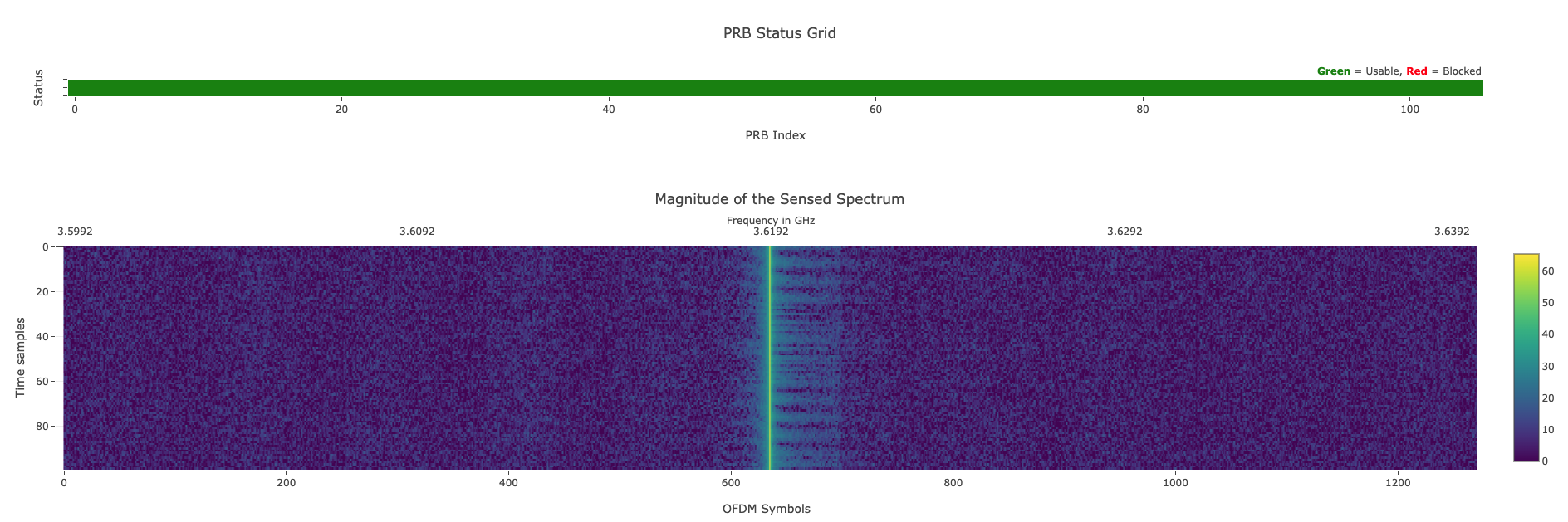
With the --demo-gui flag, a web dashboard is accessible from your browser showing the I/Q samples sensed by the gNB and delivered to the dApp:
To improve dApp performance, use taskset to pin it to a dedicated core.
Check the number of available cores on the SRN with nproc and allocate at least one core not used by the gNB.
Run the UE
Access the second oai-dapp container and start the UE:
cd OAI-Colosseum
python3 ran.py -t ue -m sa
Since the sensed I/Qs are extracted from a reserved OFDM slot, UE communication will not appear in the web dashboard.
Run the Incumbent
Access the cast container and generate a uniform noise signal at the gNB center frequency:
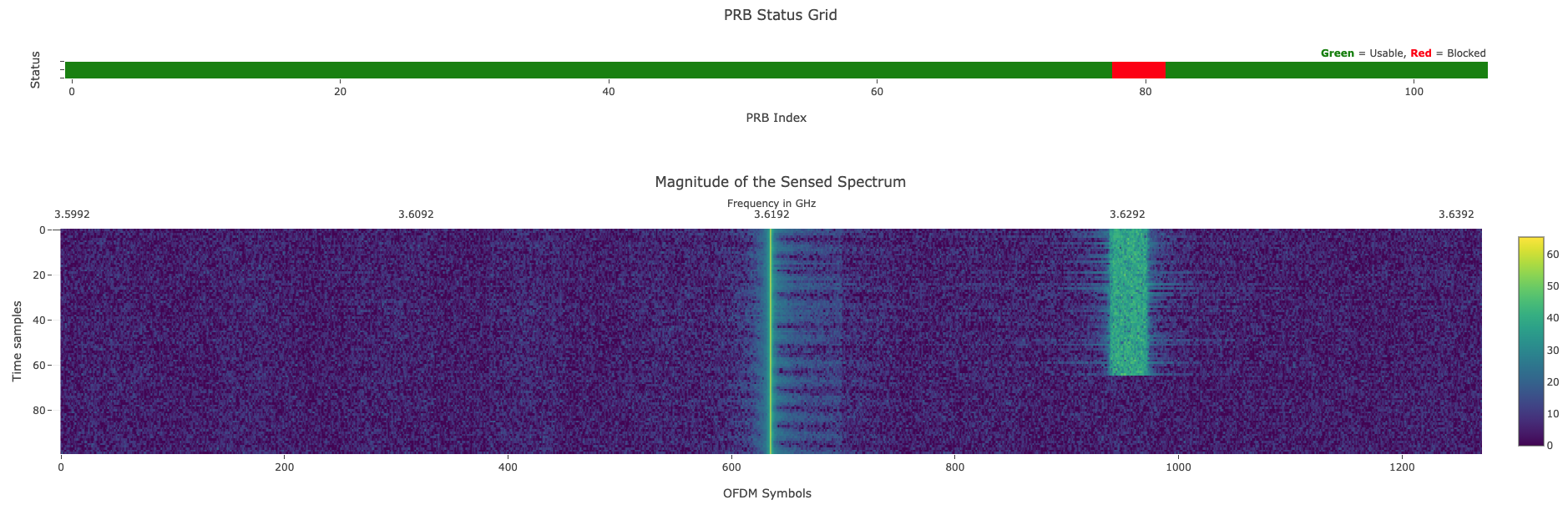
uhd_siggen --freq 3.6288e9 --samp-rate 1e6 --gain 70 -m 1 --uniform
Expected Output
The dApp detects the presence of the incumbent signal and automatically blocks the affected PRBs, as shown in the dashboard:
If you use this framework in your work, please cite our paper:
A. Lacava, L. Bonati, N. Mohamadi, R. Gangula, F. Kaltenberger, P. Johari, S. D’Oro, F. Cuomo, M. Polese, and T. Melodia, "dApps: Enabling Real-Time AI-Based Open RAN Control," Computer Networks, pp. 1-31, February 2025. [pdf]